Live on Google Play · Android 8+
AzAd Mail for Android
AzAd Mail Androidputs your organization's mailbox in a native app — inbox, compose, Contacts, local ToDos, search, and notifications with the same credentials you use on the web. Download and view received attachments; compose attachment upload is still coming.
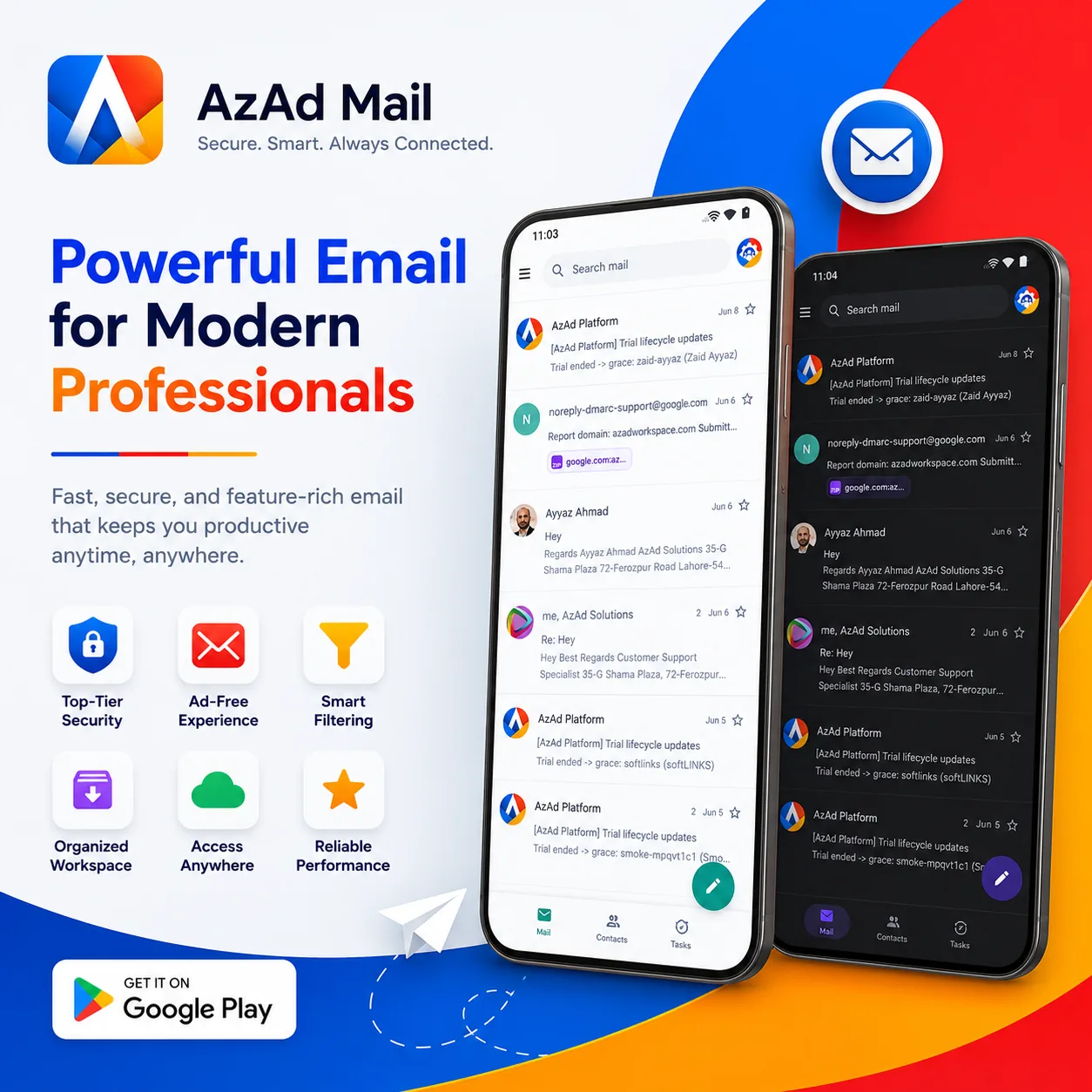
Built for mobile work
Everything you need for day-to-day mail on Android — fast, familiar, and connected to your organization's AzAd Workspace.
Native inbox
Folders, conversation view, swipe actions, and fast scroll — built for Android, powered by the same AzAd Mail API as webmail.
Compose & reply
Reply, forward, and draft on the go. Recipient suggestions from your contacts while you type. Download and view attachments on messages you receive; attaching files when composing is not in the app yet — use webmail for upload.
Contacts
Browse and search your AzAd Contacts from the bottom tab — the same directory context you use when composing.
Local ToDos
Personal task lists stored on the device so follow-ups stay next to mail. This is local ToDos on Android — not the full shared AzAd ToDos web product (coming soon on the workspace suite).
Push notifications
Know when new mail arrives. Approve trusted-device sign-in requests without opening a laptop.
Search & themes
Find messages by sender, subject, or body. Jump to unread and starred mail. Light and dark themes for comfortable reading. Inbox cache helps recent mail feel snappy; full offline mail queues are not claimed yet.
See it in action
A calm inbox, thoughtful compose, and settings that respect your theme — scroll the gallery or tap to zoom.
Tap any screenshot to enlarge
More coming soon
We're actively shipping updates. These features are on the roadmap for AzAd Mail mobile:
- Compose attachment upload (download/view of received attachments already works)
- Offline read queue for recently synced mail
- Widgets for unread count and quick compose
- Wear OS glance at inbox
- Shared mailbox switcher
- Advanced rules and vacation responder
- Tablet-optimized split view
Requirements
- Android 8.0 (Oreo) or newer
- Google Play services for notifications
- AzAd Mail mailbox from your organization administrator
Questions or feedback? Contact us — choose Technical support.
Ready to install?
Scan the code or tap the badge — same mailbox, no new signup.

Scan to open Google Play on your phone